To install and configure an Apache Virtual Host on AlmaLinux 10, follow the steps below:
Step 1 : Update all packages to ensure your system is up to date:

Step 2 : If Apache is not already installed, install it using:
Start and enable Apache:
Step 3 : Create a document root directory for your domain (example.com):
Step 4 : Create a test homepage:
Example content:

Step 5 : Set proper ownership and permissions so Apache can access the files:

Step 6 : Create a new virtual host configuration file:
Add the following configuration:
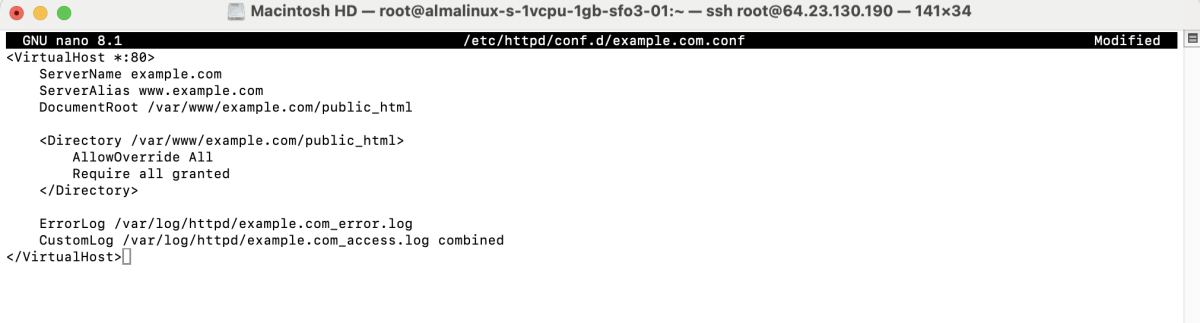
Save and exit the file.
Step 7 : Test the Apache configuration:

If you see Syntax OK, restart Apache:

Step 8 : Open a web browser and visit:

Congratulations! You have successfully set up an Apache Virtual Host on AlmaLinux 10.