To install Let's Encrypt SSL on Apache running on AlmaLinux 10, follow the steps below:
Step 1 : Make sure your domain (for example, example.devtutorial.io) is already pointed to your server's public IP address. This is required for domain verification.
Step 2 : Update all system packages:

Step 3 : Install Certbot and the Apache plugin:
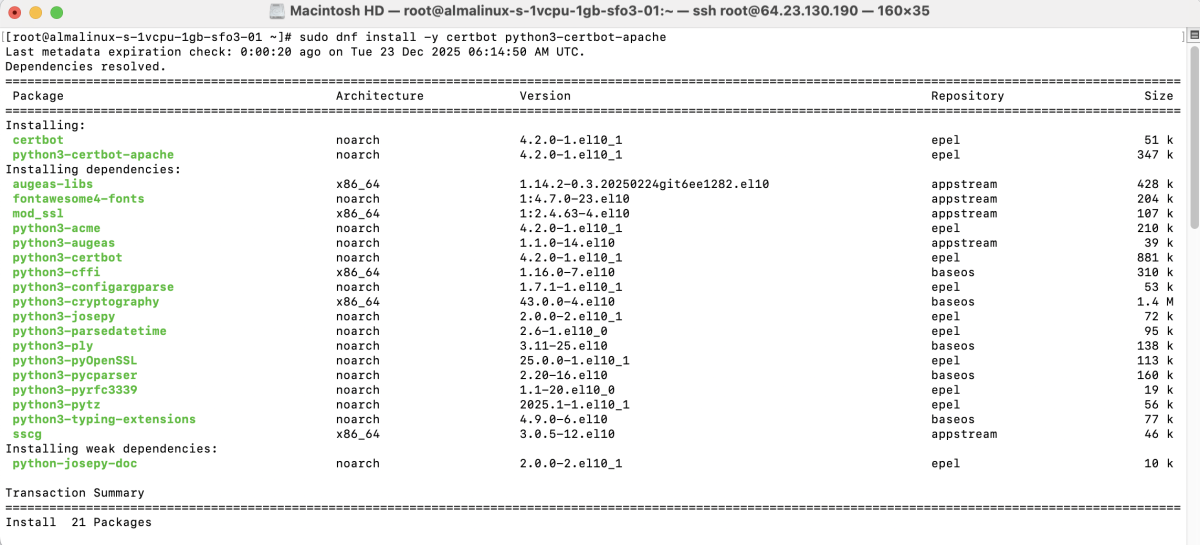
Step 4 : Restart Apache to ensure everything is running correctly:

Step 5 : Create the document root directory:
Create a simple index file:
Add the following content:

Set proper permissions:

Step 6 : Create a virtual host configuration file:
Add the configuration below:
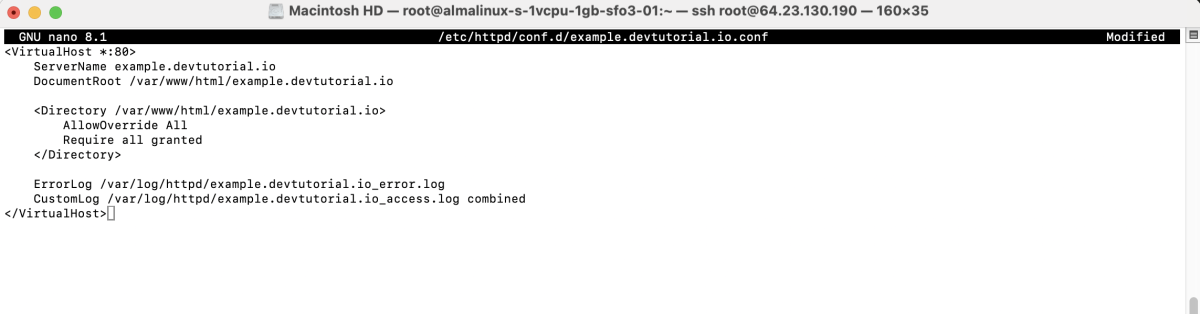
Save and exit the file.
Step 7 : Test the Apache configuration:

Step 8 : Restart Apache to apply the new configuration:

Step 9 : Run Certbot to obtain and install the SSL certificate:

Follow the prompts:
- Enter email address – Enter your email address

- Agree to the Terms of Service – Type y

- Share your email address – Type y

- Success message – Certbot will display a successful installation message
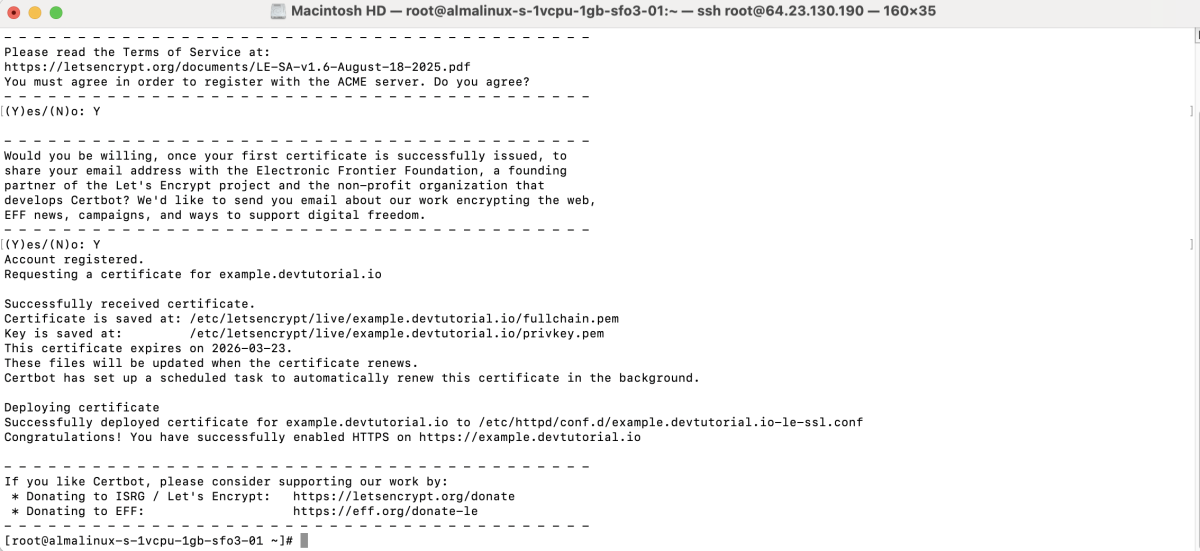
Certbot will automatically configure Apache to use HTTPS.
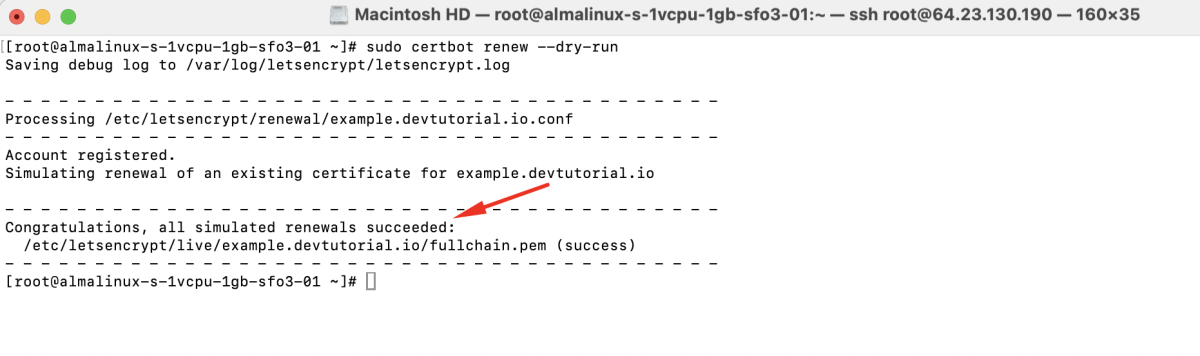
Step 10 : Test certificate renewal:
Step 11 : Open a browser and visit:
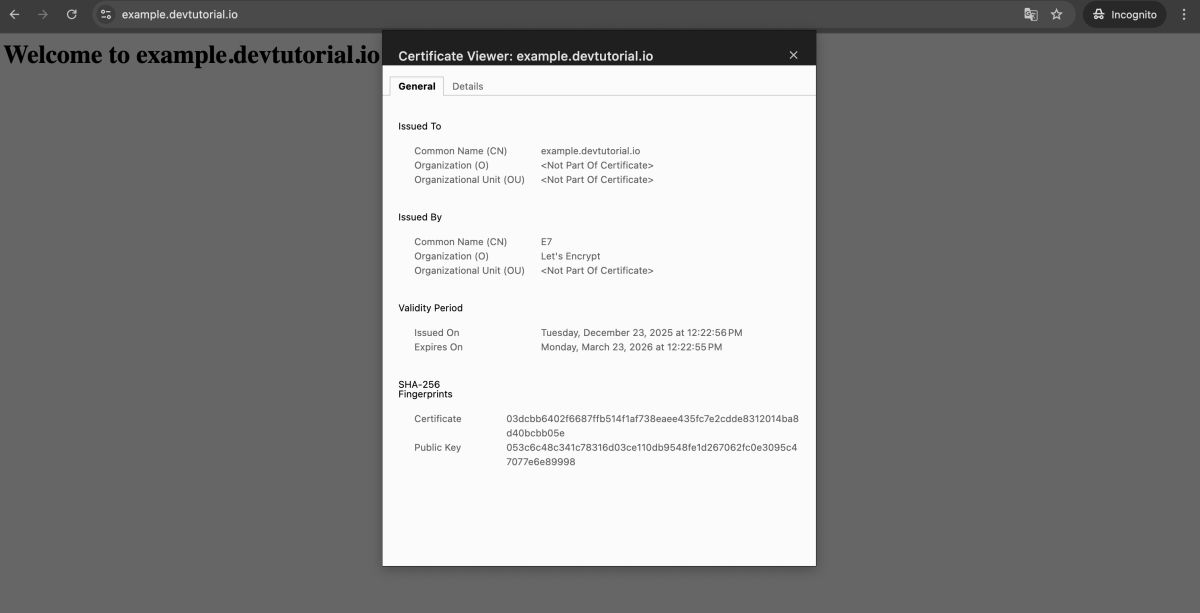
You should see a secure connection in the address bar.
Congratulations! You have successfully installed Let's Encrypt SSL for Apache on AlmaLinux 10.