To install FirewallD on AlmaLinux 10, follow the steps below to set up and configure your firewall properly.
Step 1 : Update Your System
Run the following command to ensure your system packages are up to date:

Step 2 : Install FirewallD (if not already installed)
If FirewallD is not installed, install it with:

Step 3 : Start FirewallD
Start the FirewallD service:

Step 4 : Enable FirewallD on Boot
Ensure FirewallD automatically starts when the system boots:

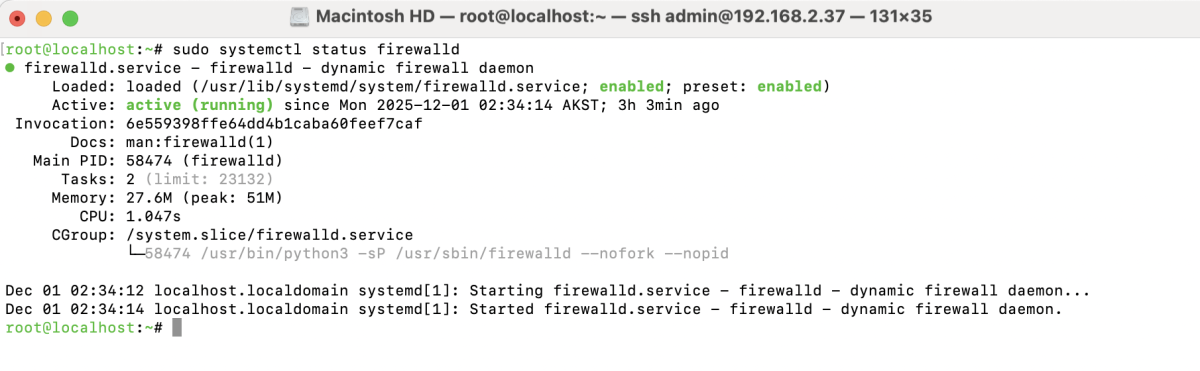
Step 5 : Check FirewallD Status
Verify that FirewallD is running correctly:
Step 6 : Basic FirewallD Configuration
Allow common web traffic such as HTTP (80) and HTTPS (443):

Reload FirewallD to apply the changes:

Congratulations! You have successfully installed and configured FirewallD on AlmaLinux 10, ensuring your server is protected and ready for secure operation.