To enable root login via SSH on AlmaLinux 10, follow the steps below:
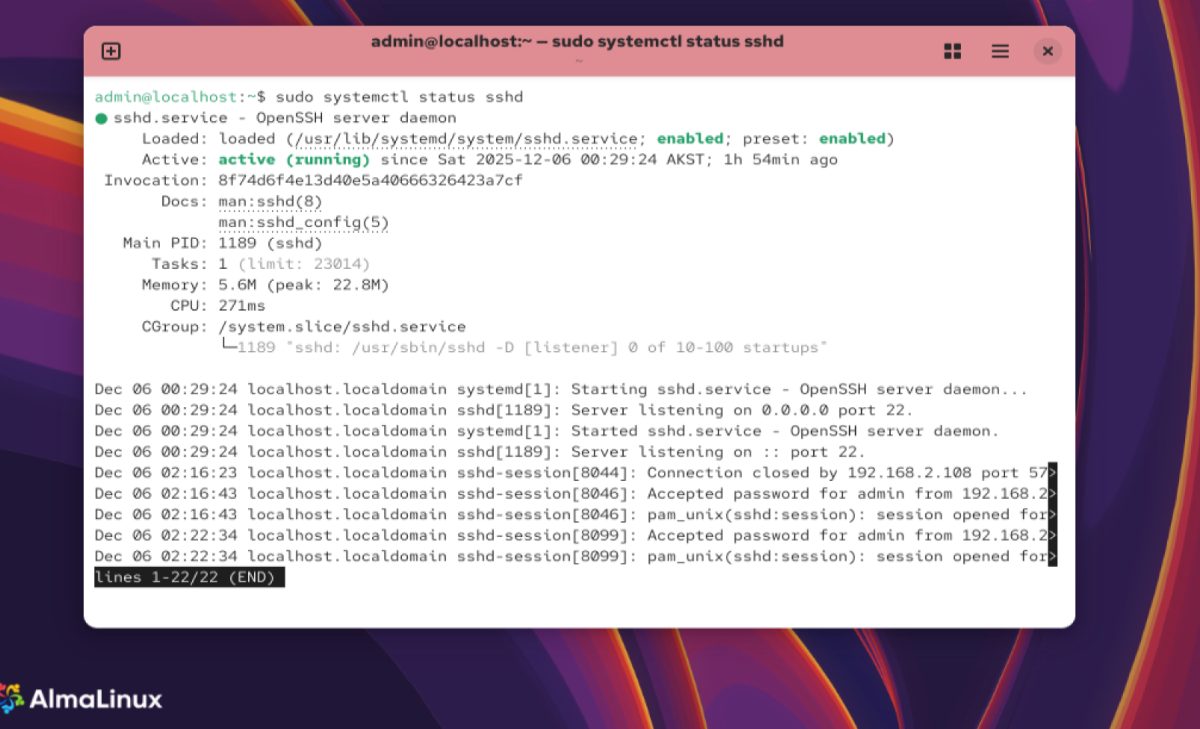
Step 1 : Check SSH Service Status
Make sure the SSH service is running:
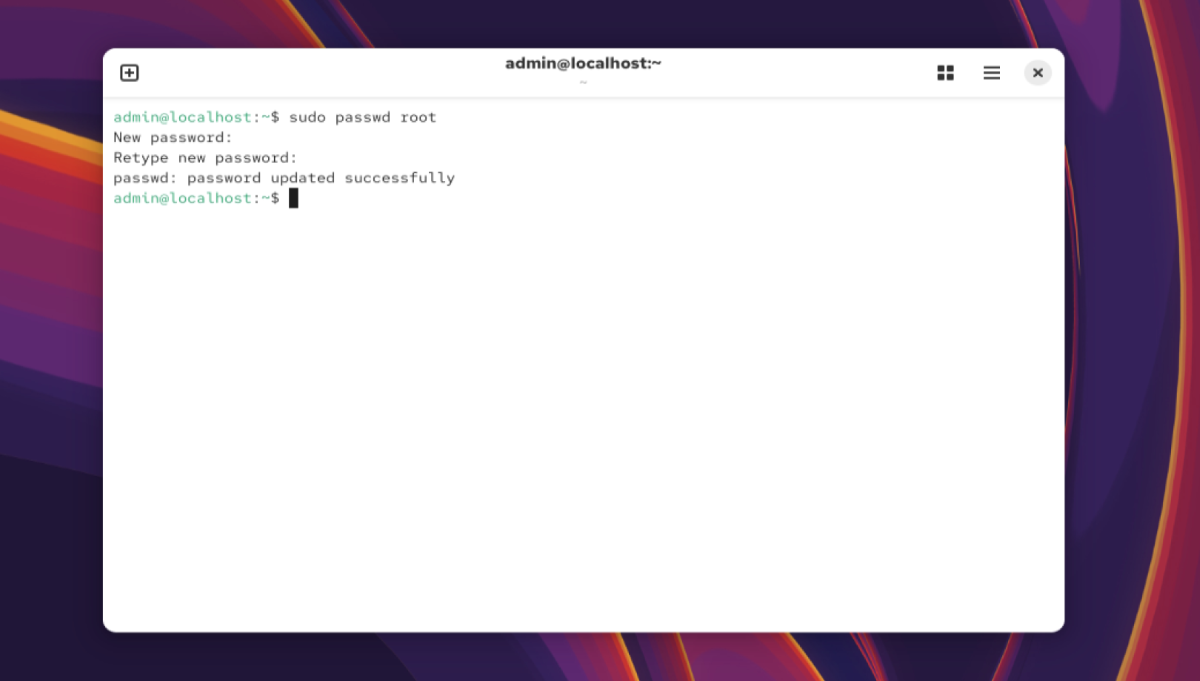
Step 2 : Enable the Root Account
If the root account has no password, set one:
Step 3 : Edit the SSH Configuration File
Open the SSH configuration file:
Step 4 : Allow Root Login
Find the line:
Remove the # and ensure it reads:
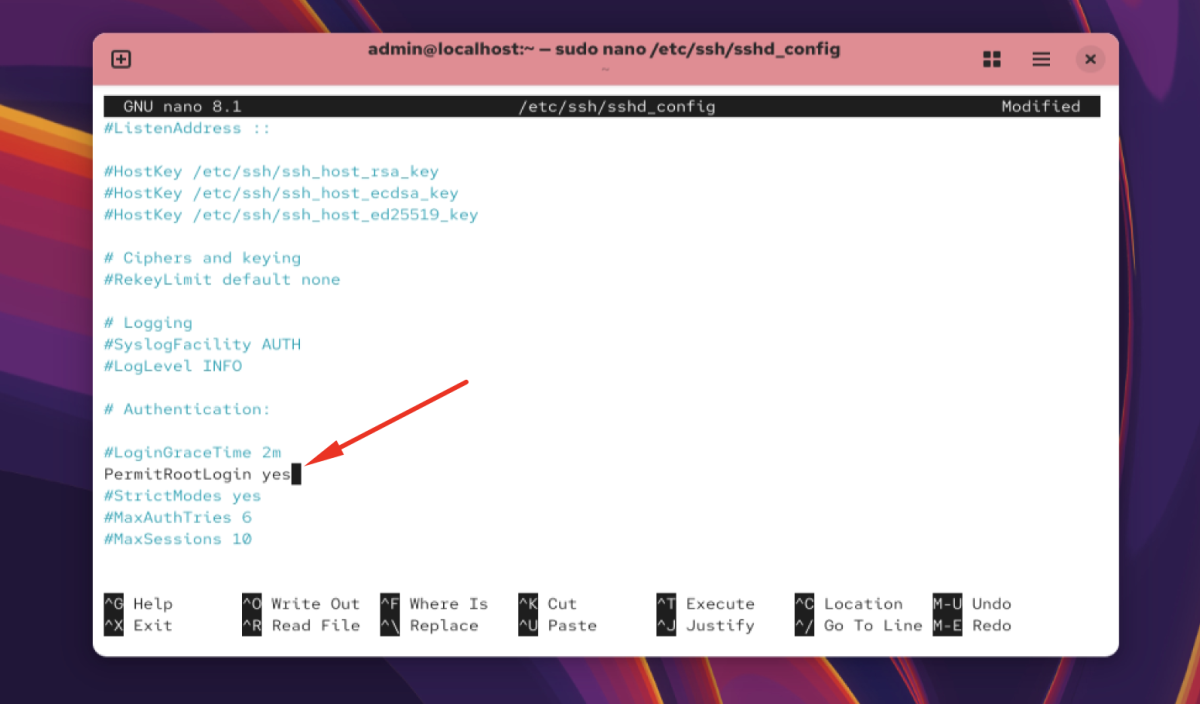
Save and exit the file.
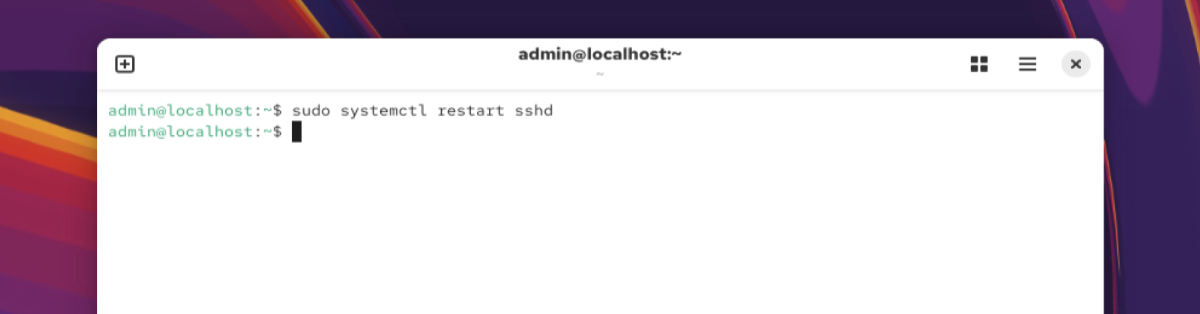
Step 5 : Restart the SSH Service
Apply the changes:
Step 6 : Test the Connection
From another machine, test SSH root login:

Congratulations! You have successfully enabled root login via SSH on AlmaLinux 10.