To change a swap file on AlmaLinux 10, follow the steps below to safely disable the old swap, create a new swap file, and enable it permanently.
Step 1 : Check Current Swap
View the active swap configuration:

Step 2 : Turn Off All Swap
Disable all active swap spaces:

Step 3 : Edit /etc/fstab
Open the fstab file and comment out the existing swap entry:
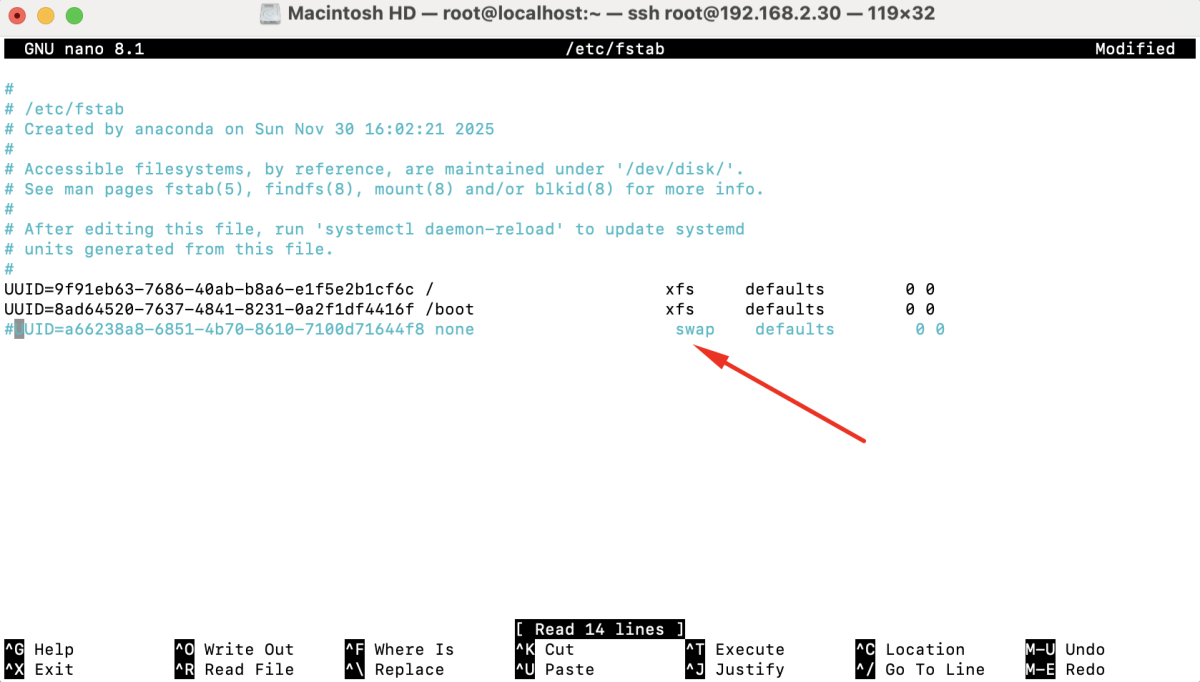
Add # at the beginning of the line related to the old swap.
Step 4 : Create a New Swap File (4 GB Example)

Step 5 : Set Correct Permissions
Secure the swap file:

Step 6 : Set Up the Swap Area

Step 7 : Enable the New Swap File

Step 8 : Verify Swap Is Active

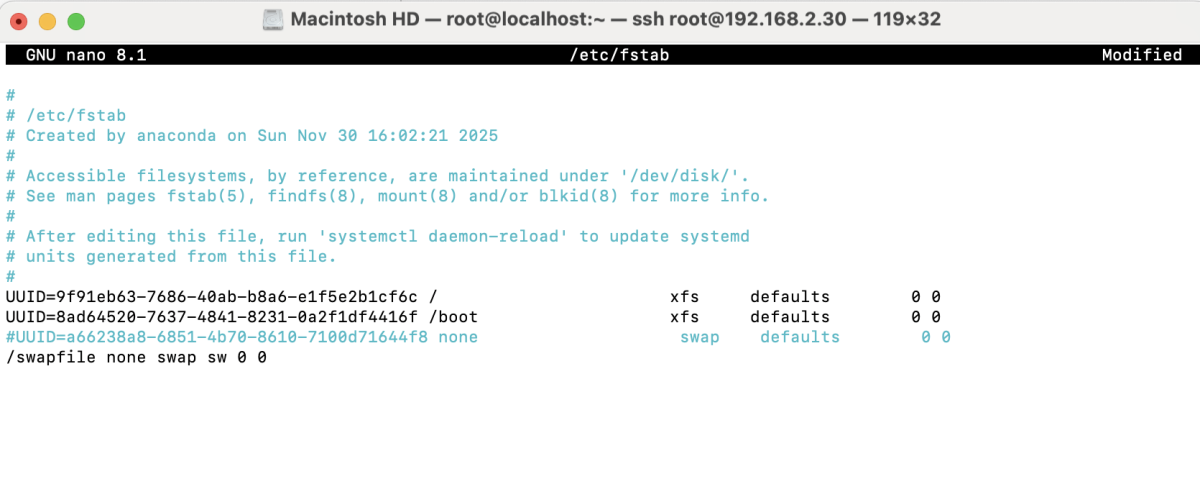
Step 9 : Make Swap Permanent
Edit /etc/fstab again and add:
Congratulations! You have successfully changed and configured a new swap file on AlmaLinux 10, ensuring your system uses the updated swap space correctly.