To configure a static IP address on AlmaLinux 10, follow the steps below to update your network settings manually.
Step 1 : Get the List of Connection Names and UUIDs
Use the following command to display all network connections:
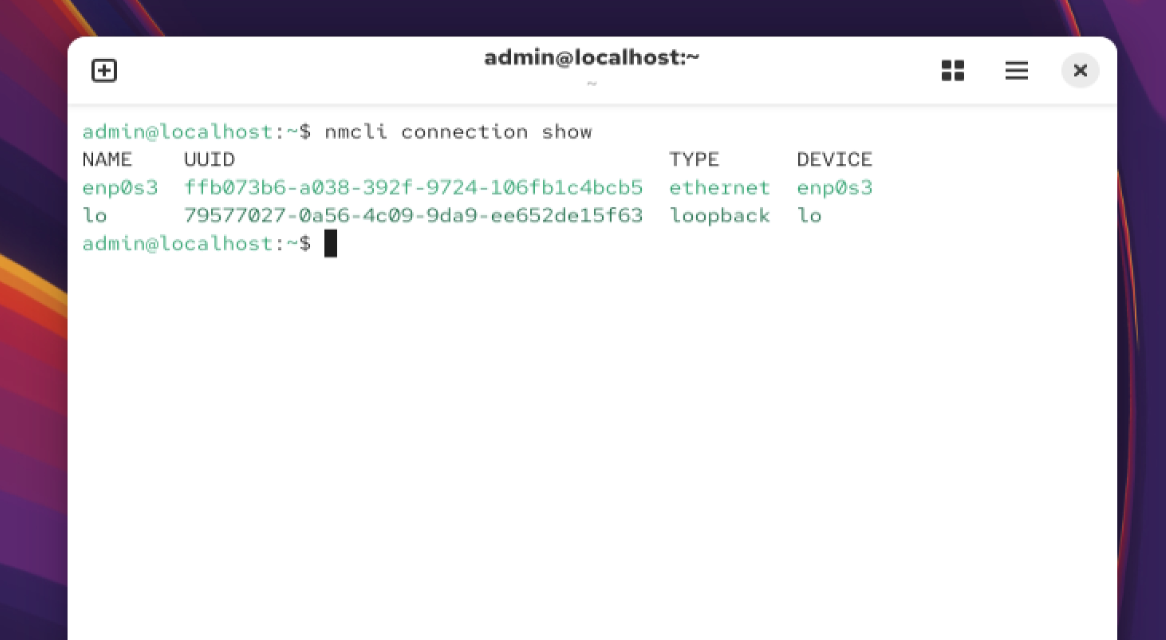
Identify the connection you want to modify (example: enp0s3).
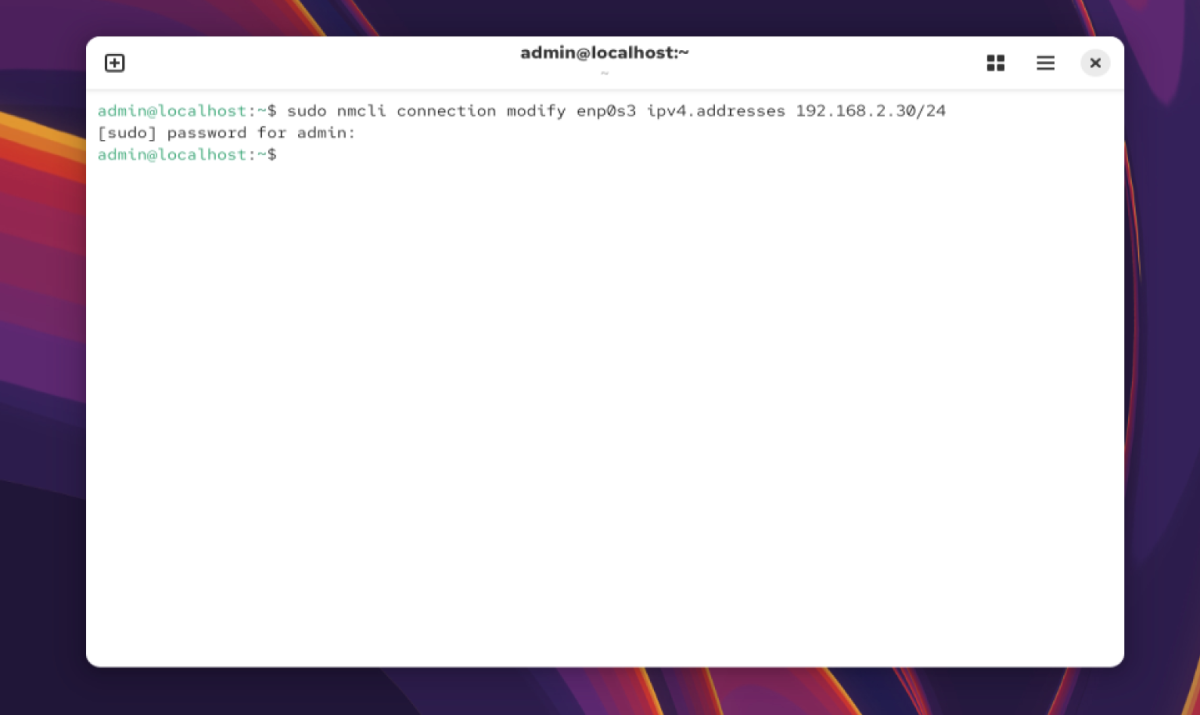
Step 2 : Set the Static IP Address (Example: 192.168.1.30/24)
Run:
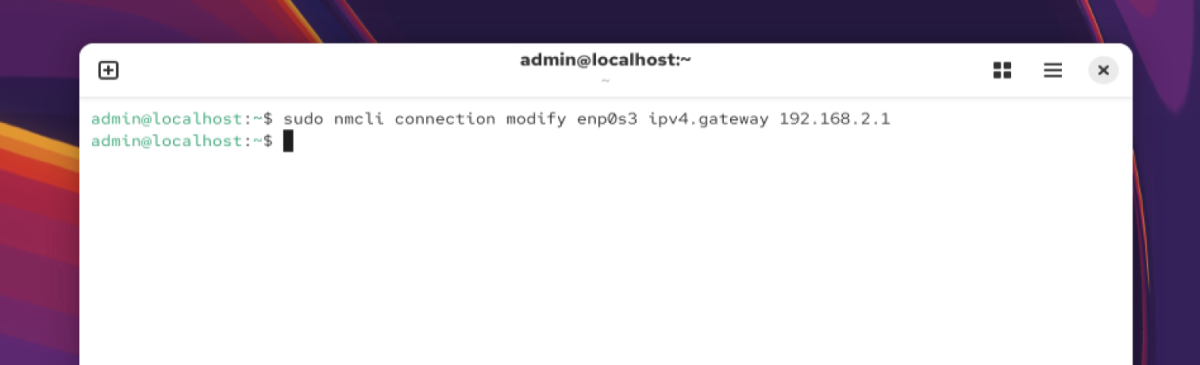
Step 3 : Set the Gateway
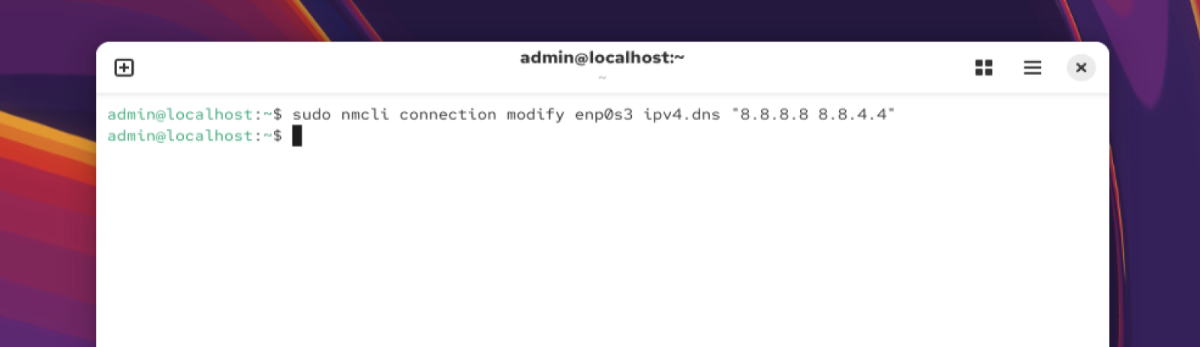
Step 4 : Configure DNS Servers
Example DNS:
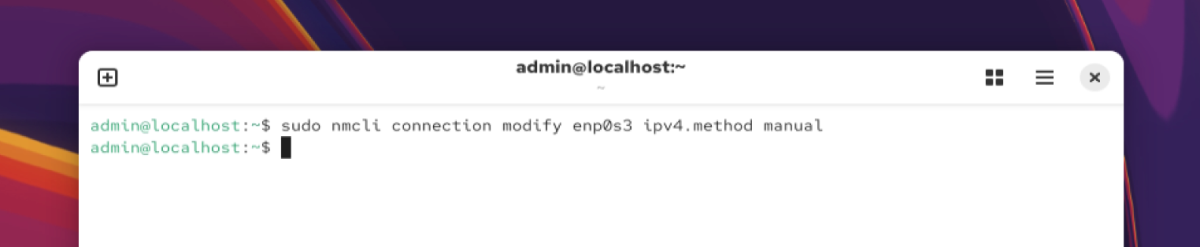
Step 5 : Set the Method to Manual
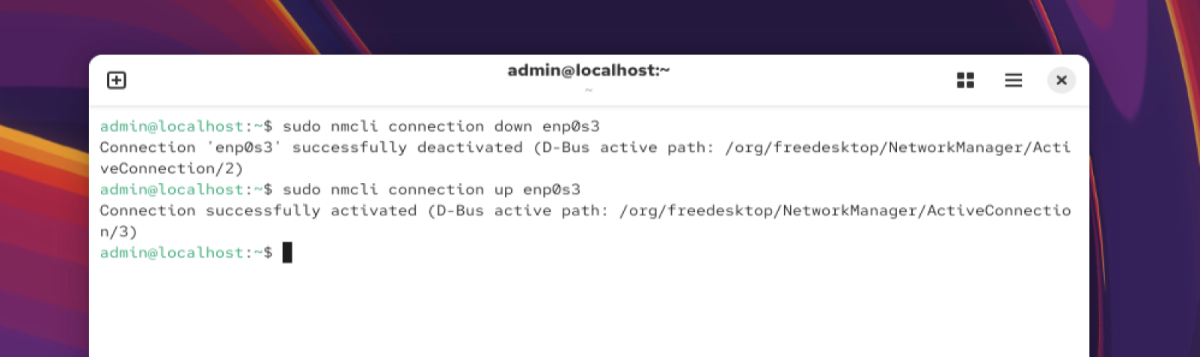
Step 6 : Restart the Network Connection
Step 7 : Show the Result
Verify your static IP:
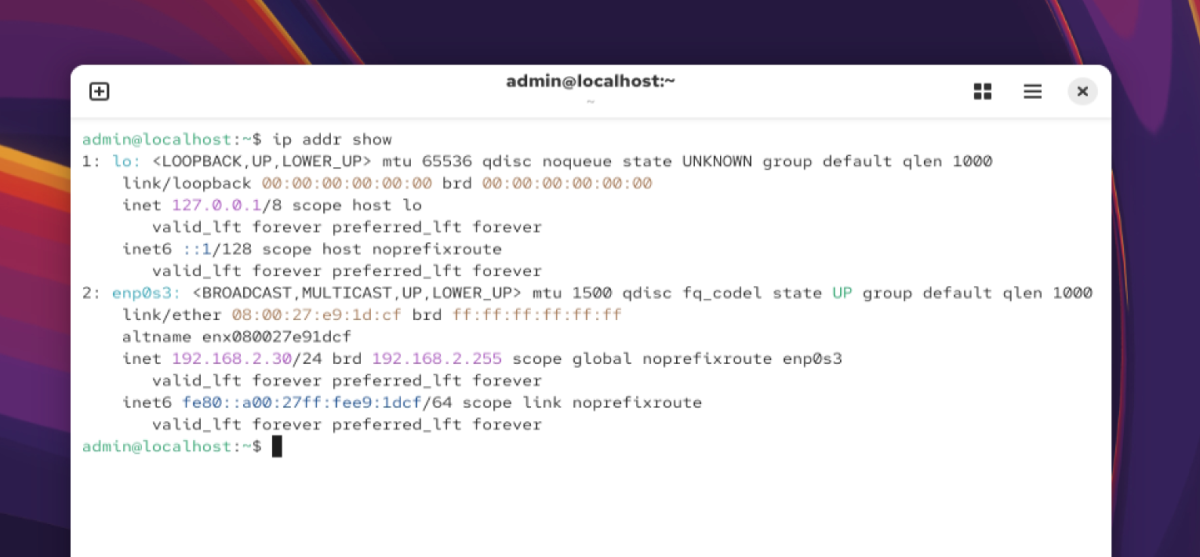
Congratulations! You have successfully configured a static IP address on AlmaLinux 10 and applied your custom network settings.