To install Docker on AlmaLinux 10, follow the steps below.
Step 1 : Update the system

Step 2 : Install dnf-plugins-core

Step 3 : Add the Docker CE repository

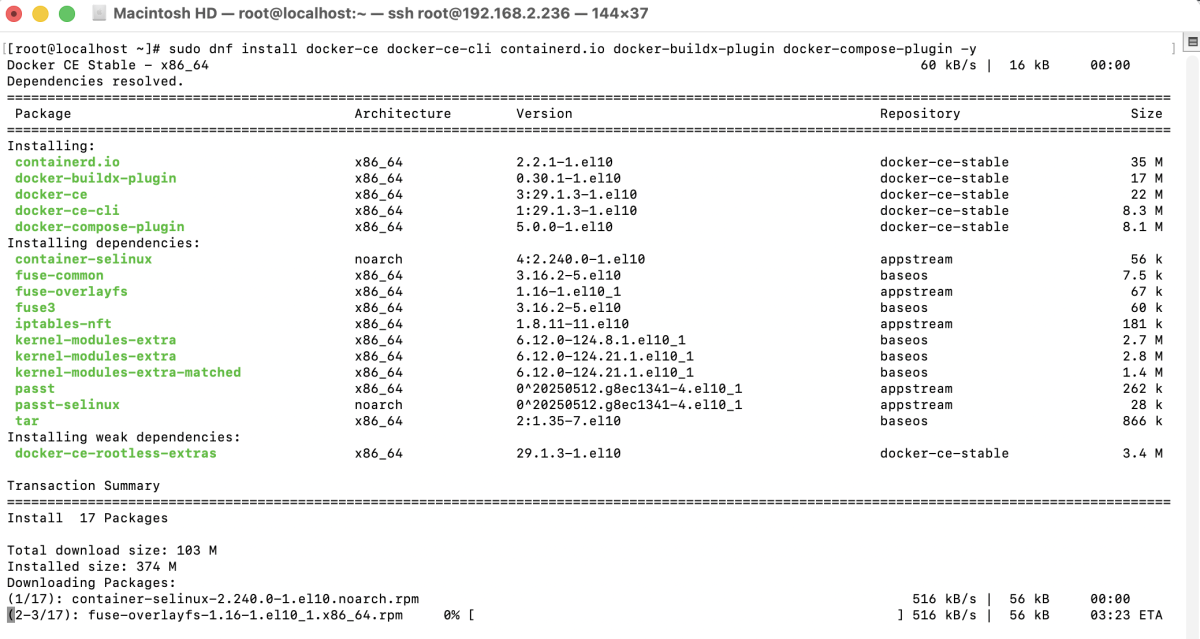
Step 4 : Install Docker
Step 5 : Start and enable Docker

Step 6 : Verify the Docker installation

Step 7 : Verify Docker Compose

Step 8 : Test Docker with hello-world
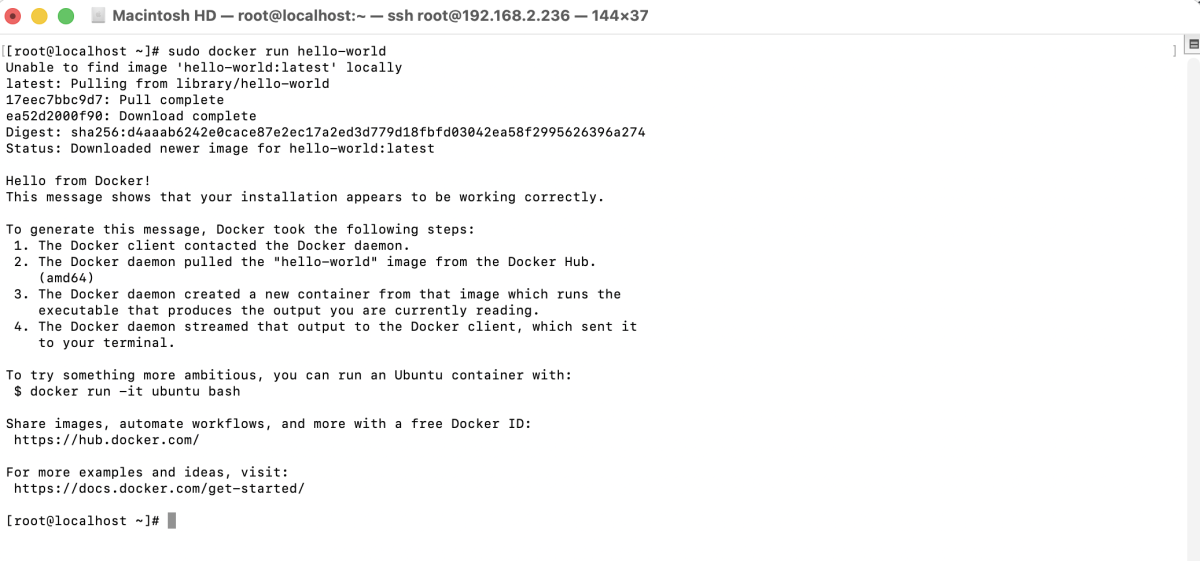
Congratulations! You have successfully installed Docker on AlmaLinux 10.