To change hostname on AlmaLinux 10, follow the steps below:
Step 1 : Check the Current Hostname
Run the following command to view your existing hostname:

Step 2 : Set a New Hostname
Use hostnamectl to change the hostname. Replace server-01 with the name you want:

Step 3 : Verify the Hostname
Check if the new hostname is correctly updated:

Step 4 : Update the /etc/hosts File
Open the hosts file to ensure your new hostname is mapped properly:
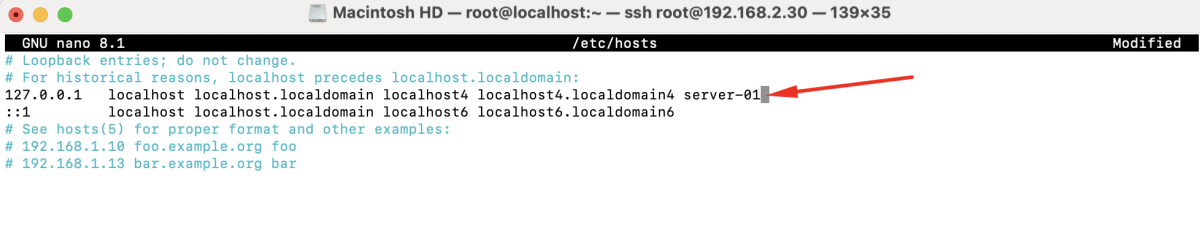
Update the line containing the old hostname, for example:
Step 5 : Reboot the Server
Restart the system to apply the changes:
Congratulations! You have successfully changed the hostname on AlmaLinux 10 and updated all necessary configurations.