To install Nginx on AlmaLinux 10, follow the steps below:
Step 1 : Update all system packages:

Step 2 : Install Nginx using DNF:
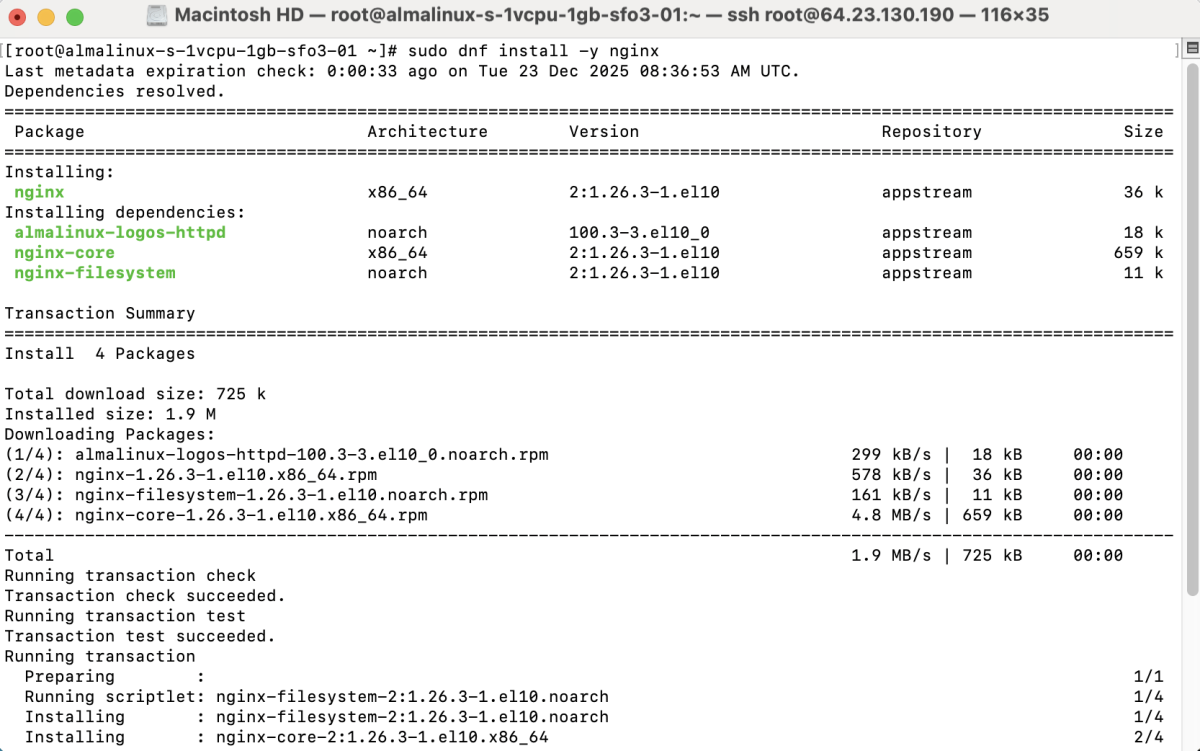
Step 3 : Verify the Nginx installation:

Step 4 : Enable Nginx to start on boot and start the service immediately:

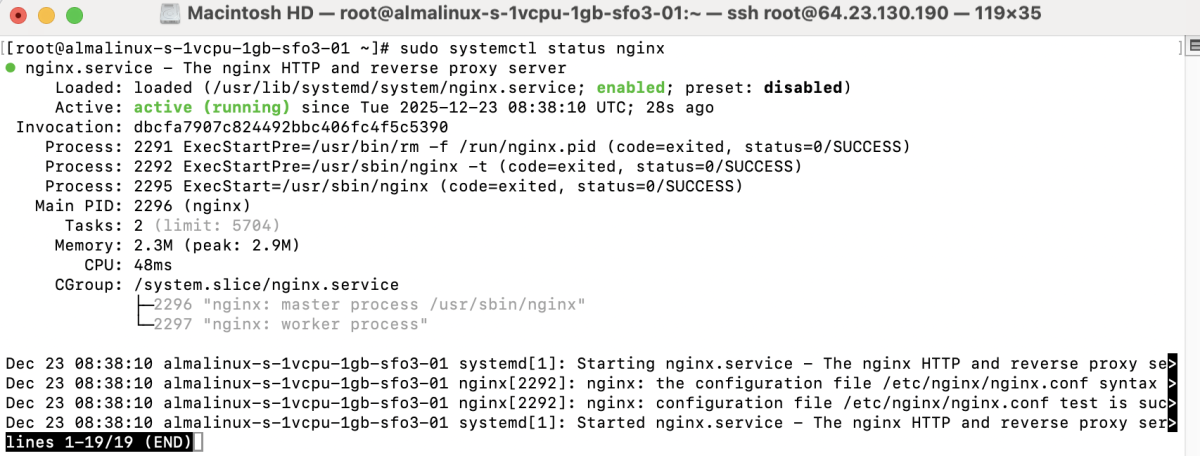
Step 5 : Check the status of the Nginx service:
Step 6 : If the firewall is enabled, allow HTTP and HTTPS traffic:

Step 7 : Apply the firewall changes:

Step 8 : Create a configuration file:
Add the following content:
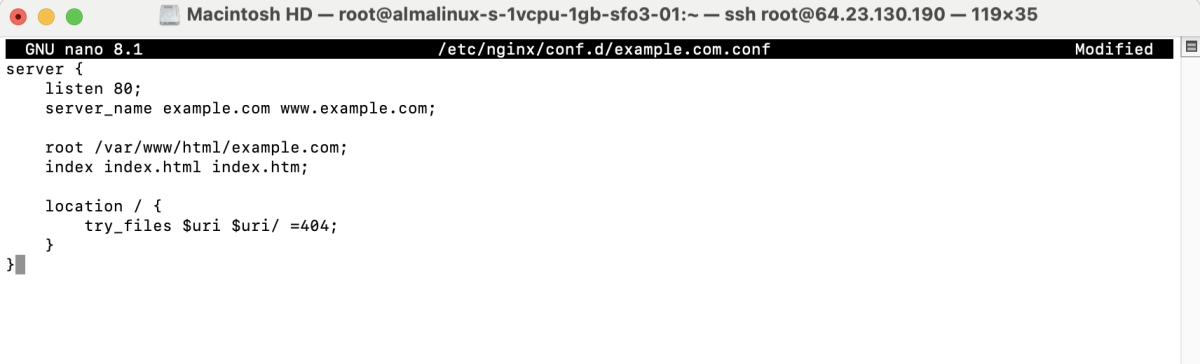
Save and exit the file.
Step 9 :Create the web directory:

Create an index file:
Add sample content:

Set permissions:

Step 10 : If SELinux is enabled, apply the correct context:

Step 11 : Test Nginx Configuration

Step 12 : Restart Nginx

Step 13 : Open a web browser and visit:

Congratulations! You have successfully installed and configured Nginx on AlmaLinux 10.