To create or change a swap file on Debian 13, follow the steps below:
Step 1 : Check whether swap is already enabled:

Although it is technically possible to use both a swap partition and a swap file, it is not common. This guide assumes your system does not currently have swap configured.
Step 2 : Make sure you have enough free disk space:
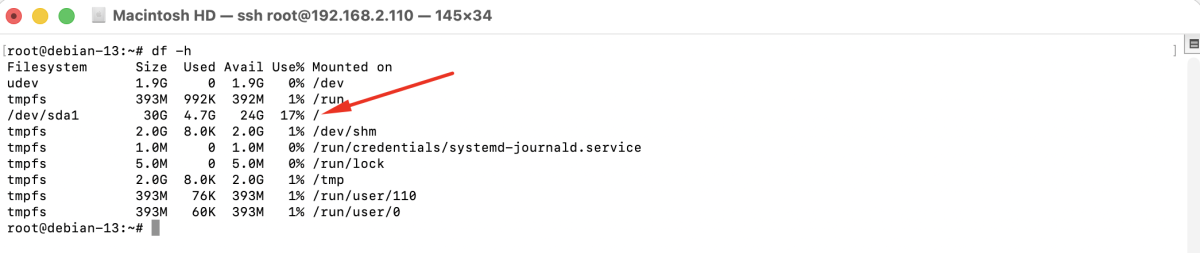
Step 3 : Create a 2 GB swap file:

Step 4 : Restrict access to the swap file for security reasons:

Step 5 : Format the file as swap:

Step 6 : Activate the swap file:

Step 7 : Confirm that the swap file is enabled:

Step 8 : Edit /etc/fstab to enable the swap file at boot:
Add the following line:
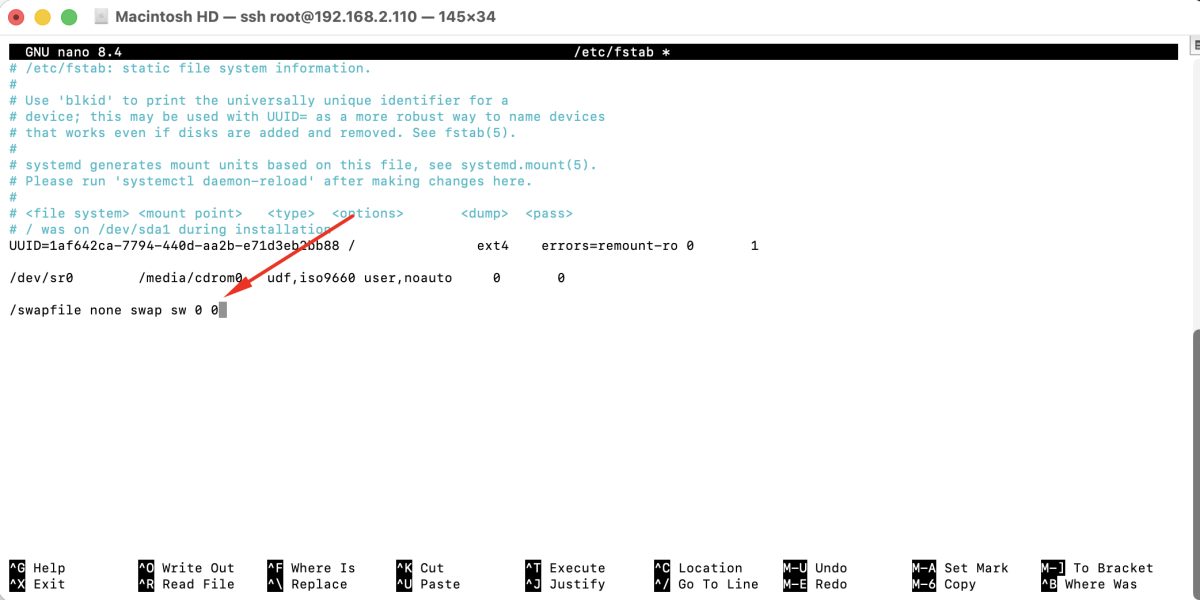
Save and exit the file.
Step 9 : If you want to change the swap size later, first disable swap:
Then delete the swap file and repeat the steps above with the new size.
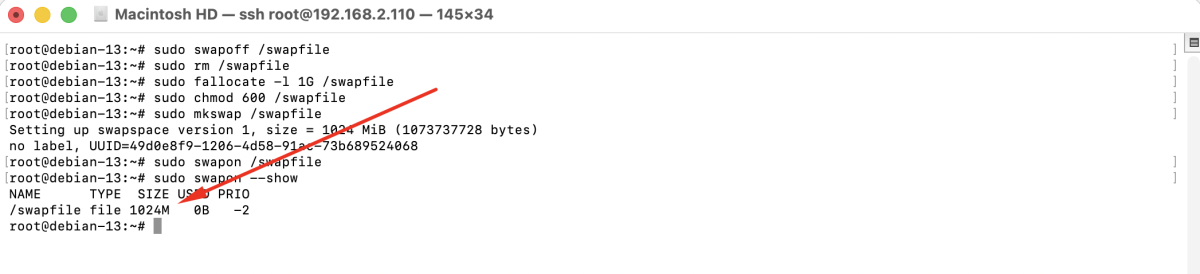
Congratulations, you have successfully created or changed a swap file on Debian 13.