To configure a static IP address on Debian 13, follow the steps below:
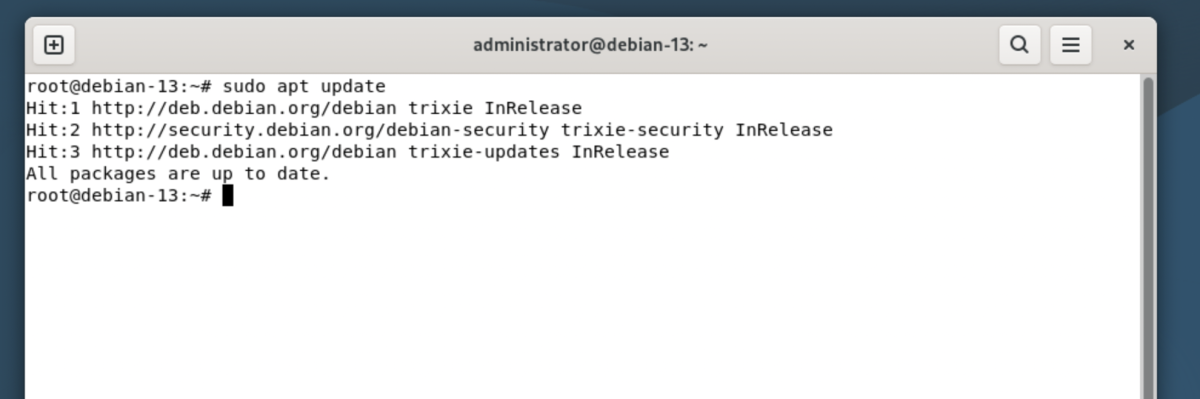
Step 1 : Update the package list to make sure the system is up to date:
Step 2 : List all network interfaces and identify the Ethernet interface name:
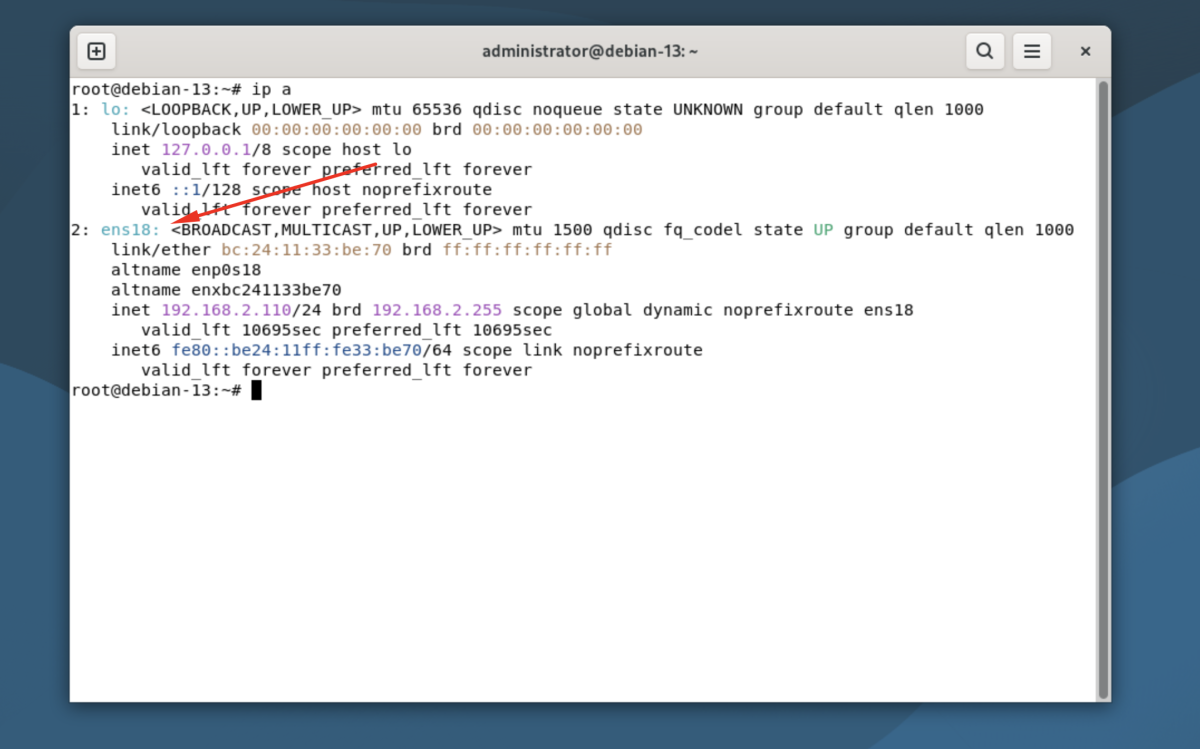
Common interface names may include eth0, ens33, or enp0s3.
Step 3 : Edit the network configuration file:
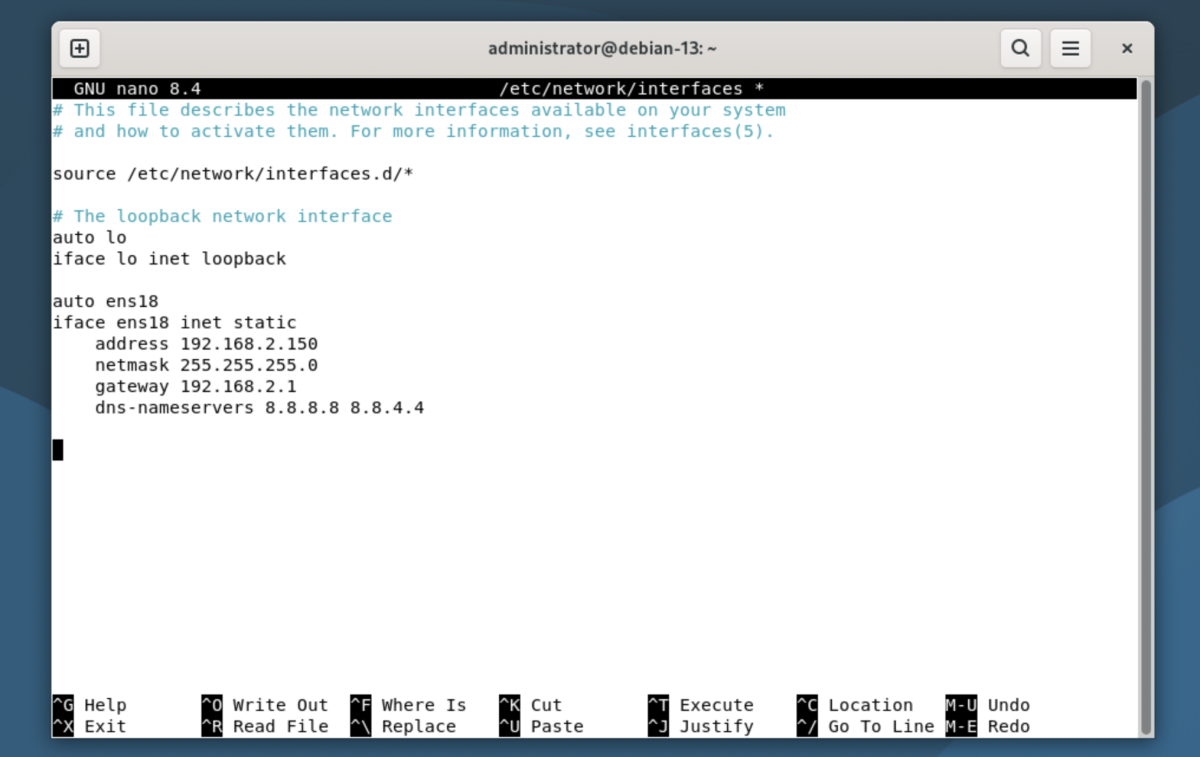
Add or modify the configuration as shown below (adjust values to match your network):
Replace ens18 and the IP information with your actual interface name and network settings.
Save the file and exit.
Step 4 : Apply the changes by restarting the networking service:

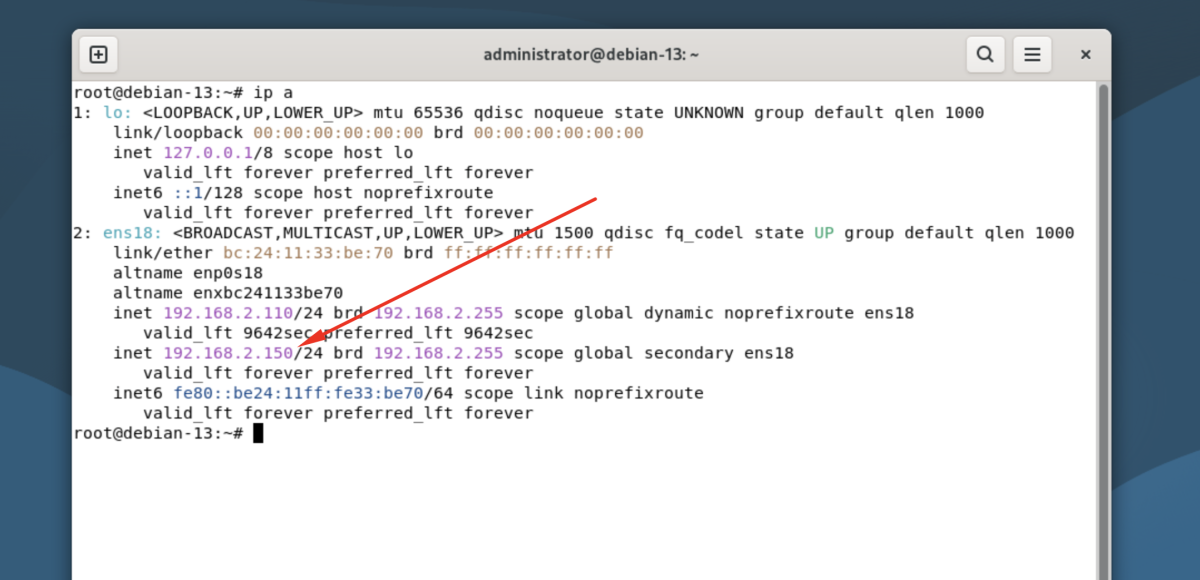
Step 5 : Check the assigned IP address:
Step 6 : Verify the configuration by checking network connectivity:
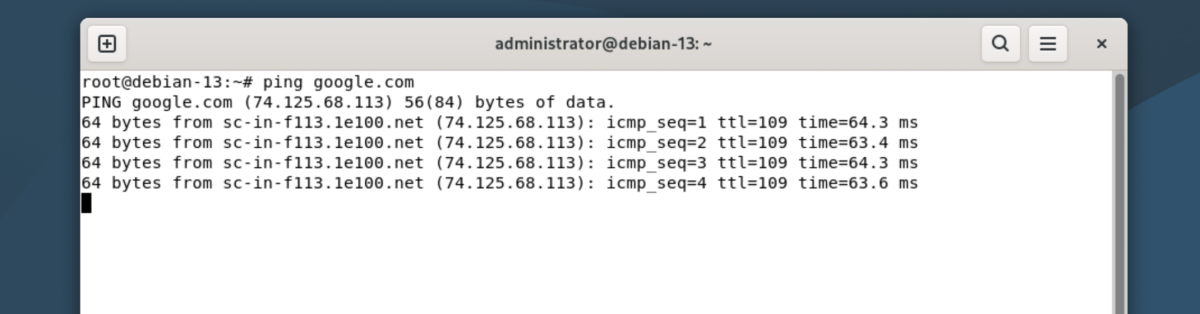
Congratulations, you have successfully configured a static IP address on Debian 13.